Navigating, creating and nesting collections
Overview
When you first log in to SnapHire Analytics you will see 2 top-level collections: Our data and Your personal collection. Your personal collection is only visible to SnapHire Admin users and yourself. Anything in the Our data collection is visible to all users with the "manage reports" SnaapHire permission.
What is possible with documents
Collections allow you to:
Create collections to organise Snaphire Analytics artifacts
Nest Collections inside one another
Create Collections
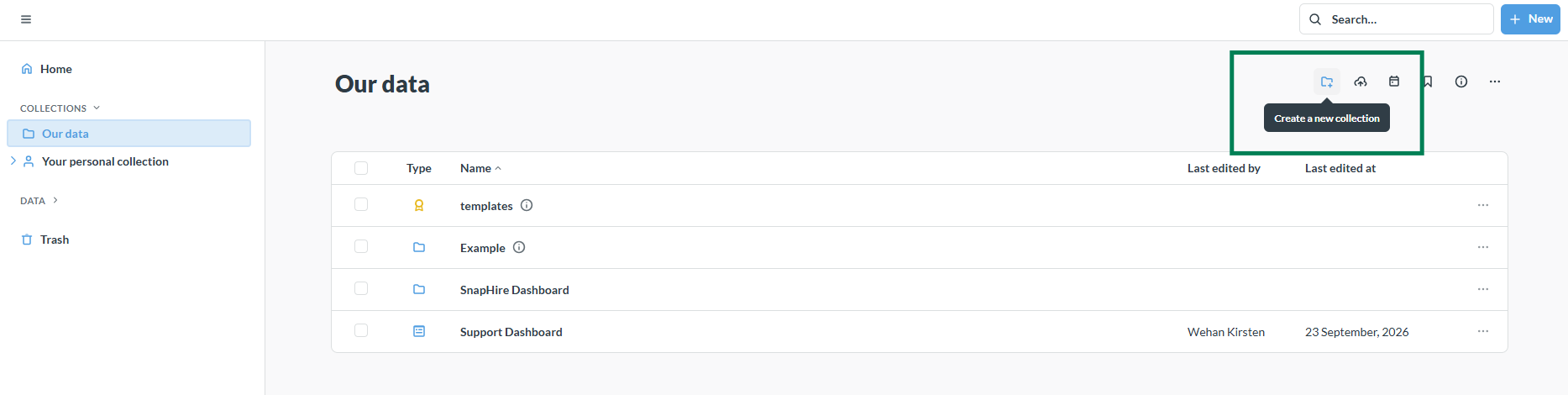
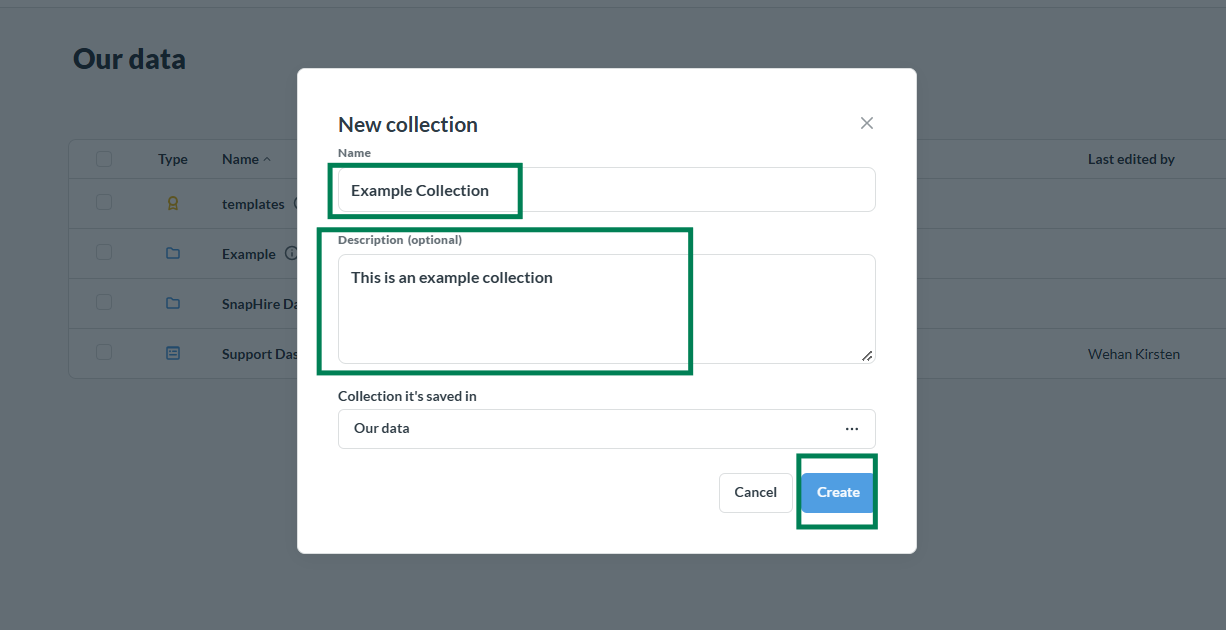
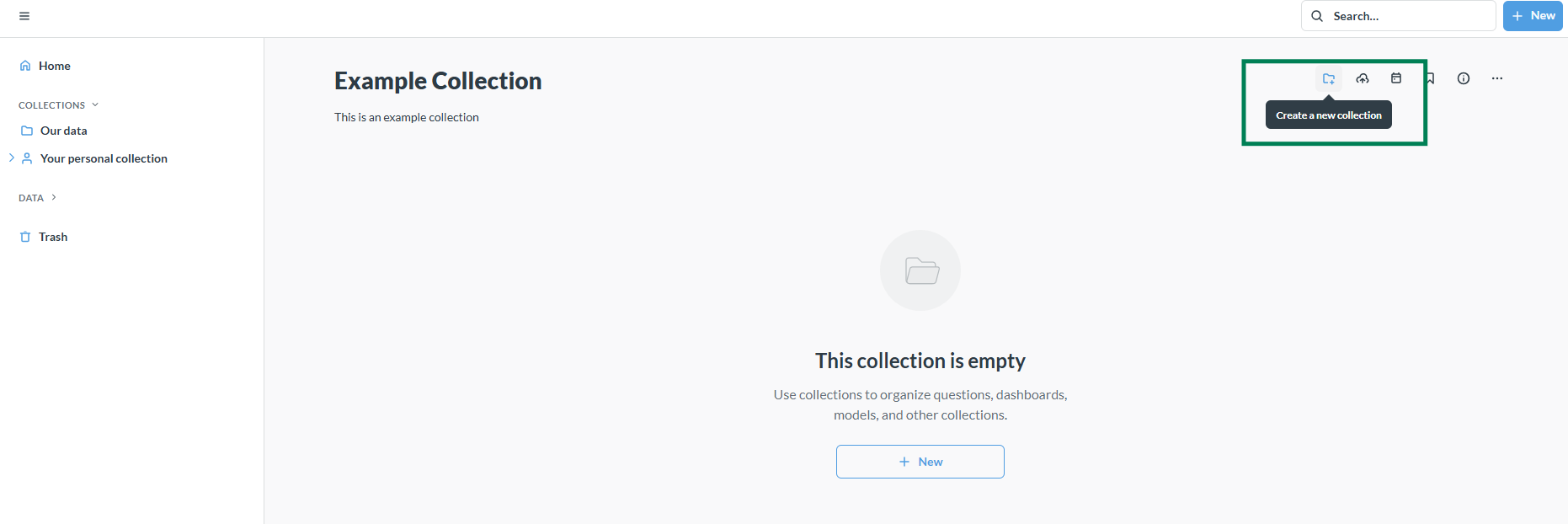
To create a collection navigate to where you would like to create the collection and follow the instructions below:
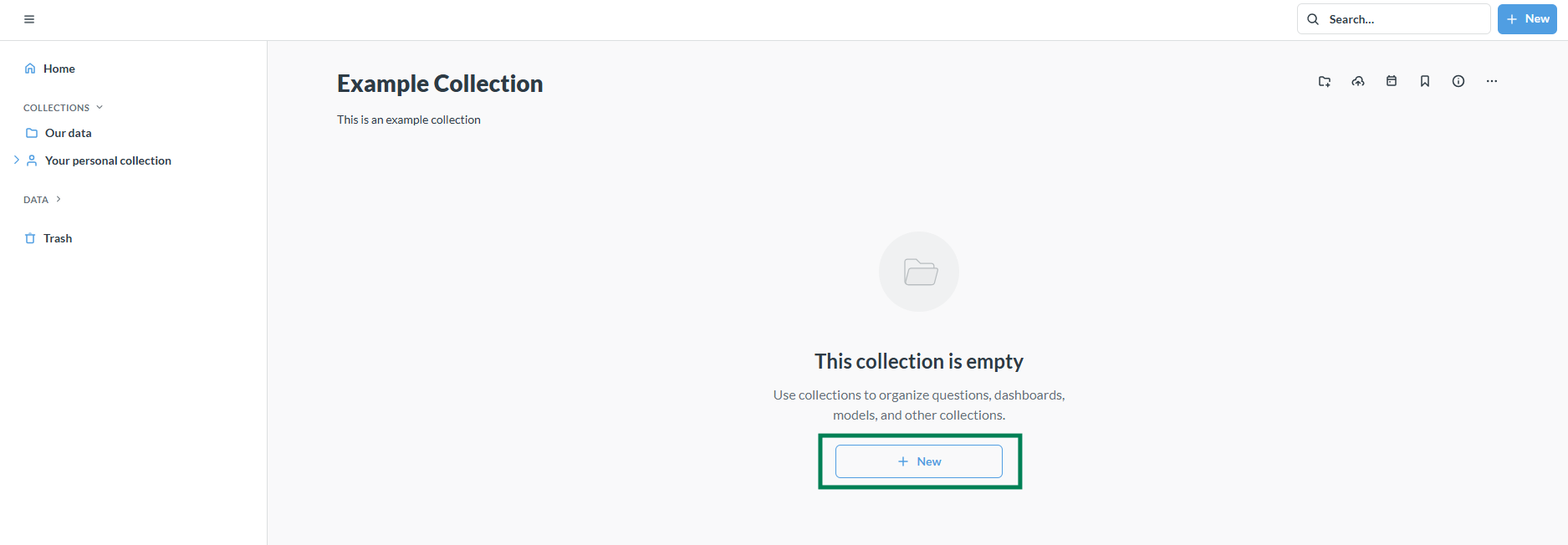
After creating the collection you can add SnapHire Analytics artifacts to the collection:
Nest Collections
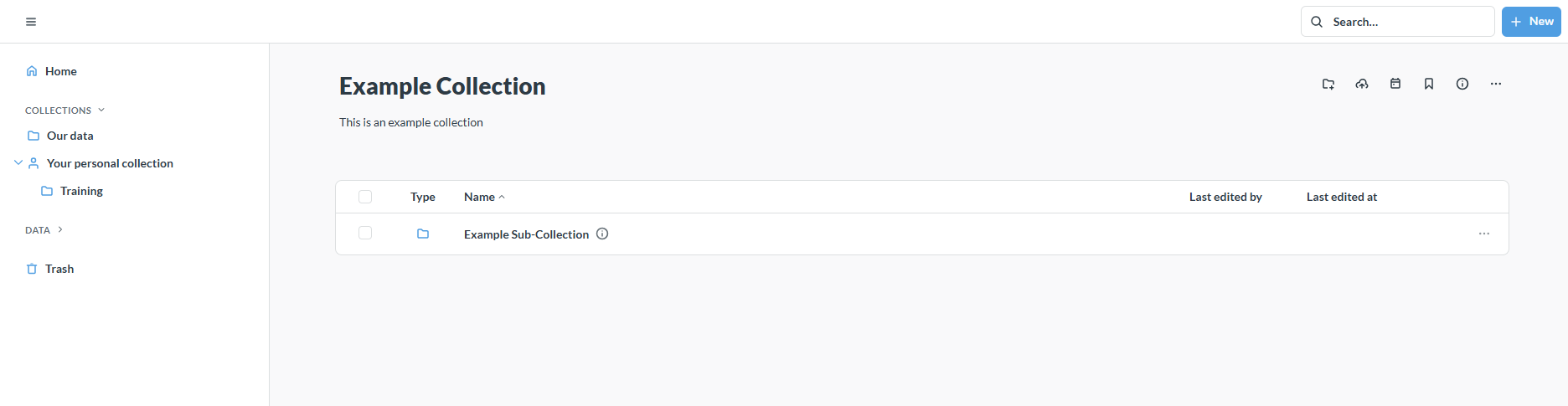
It is possible to nest collections. This means you can create sub-collections inside collections like any other folder structure you might be familiar with.
In the example below we create a collection inside the "Example Collection" we just created:
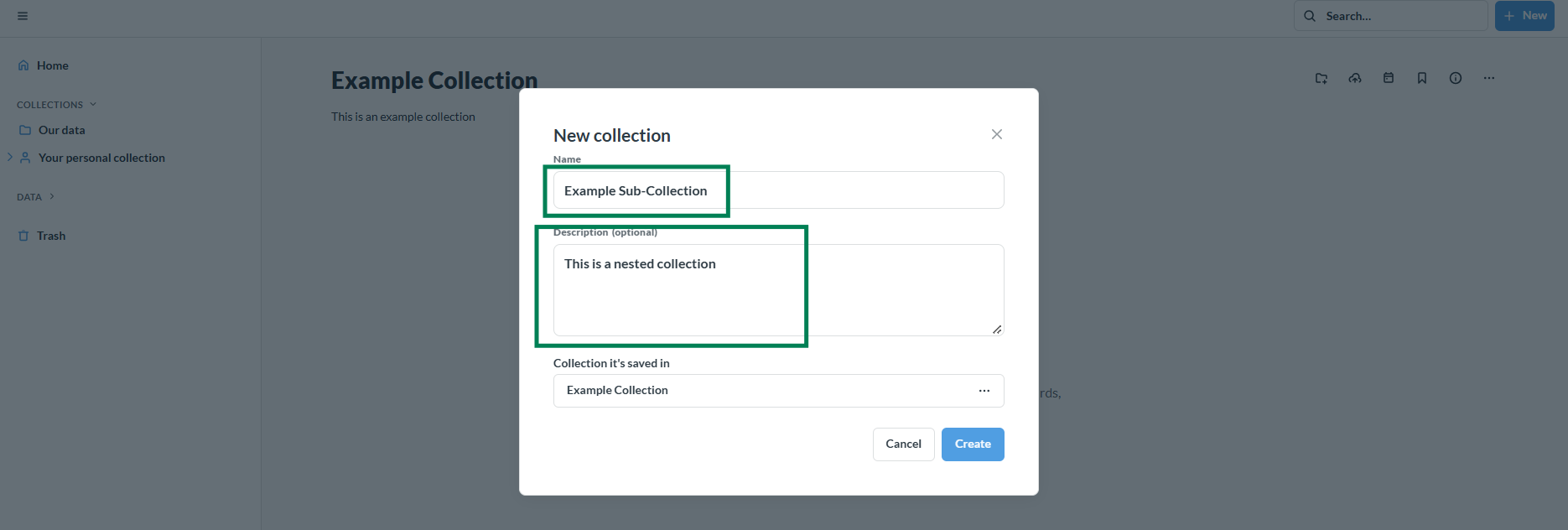
After creating your collections you will see them appear in the path you chose to create them. You can now store any artifacts in them.